
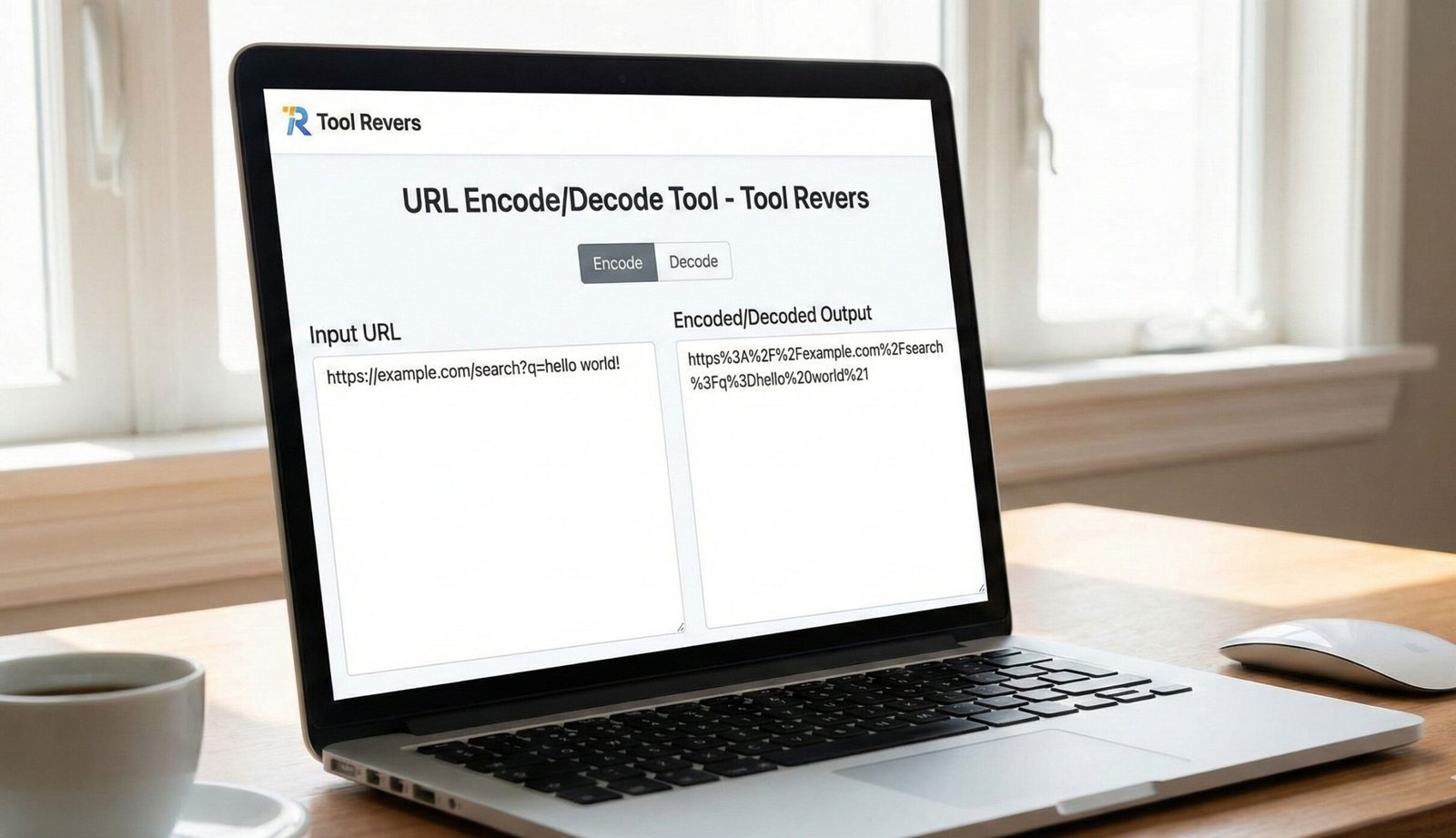
URL Encode/Decode Tool
This URL Encode/Decode tool helps you convert text to URL-encoded format and vice versa. URL encoding replaces unsafe ASCII characters with a “%” followed by two hexadecimal digits, ensuring URLs are properly formatted for web transmission.
How to use: Enter your text in the input box, select the operation you want to perform, and click the corresponding button. The tool also parses URLs into their components for better understanding of URL structure.
Common URL-Encoded Characters
Here are some commonly URL-encoded characters:
| Character | URL Encoded | Description |
|---|---|---|
| Space | %20 or + | Space character |
| ! | %21 | Exclamation mark |
| “ | %22 | Double quote |
| # | %23 | Number sign |
| $ | %24 | Dollar sign |
| & | %26 | Ampersand |
| ‘ | %27 | Single quote |
| ( | %28 | Opening parenthesis |
| ) | %29 | Closing parenthesis |
| * | %2A | Asterisk |
| + | %2B | Plus sign |
| , | %2C | Comma |
| / | %2F | Forward slash |
| : | %3A | Colon |
| ; | %3B | Semicolon |
| = | %3D | Equals sign |
| ? | %3F | Question mark |
| @ | %40 | At sign |
| [ | %5B | Opening bracket |
| ] | %5D | Closing bracket |
About URL Encoding
URL encoding, also known as percent-encoding, is a mechanism for encoding information in a Uniform Resource Identifier (URI) under certain circumstances. URL encoding is used when placing text in a query string to convert characters that are not allowed in URLs to a format that is.
Why URL Encoding is Necessary
- Special characters: URLs can only contain a specific set of ASCII characters. URL encoding ensures all characters can be transmitted safely.
- Reserved characters: Some characters have special meanings in URLs (like ? and &) and must be encoded when used as part of the data.
- Non-ASCII characters: Characters outside the ASCII set (like accented letters or symbols) need to be encoded for proper transmission.
encodeURI vs. encodeURIComponent
JavaScript provides two different functions for URL encoding:
- encodeURI(): Encodes a complete URI, but does not encode characters that have special meaning in a URL (like /, ?, :, @, &, =, +, $, and #).
- encodeURIComponent(): Encodes all characters that could have special meaning, making it suitable for encoding parts of a URL like query parameters.
This tool provides both options, allowing you to choose the appropriate encoding method for your specific needs.
URL Encode/Decode Online: Free Tool for Web URLs
Encode or decode URLs instantly! Our free online tool safely converts special characters for reliable web links, API calls, and data handling. Fast & easy.
URL Encode/Decode Tool: Your Guide to Safe and Functional Web Addresses
Have you ever tried to share a web link, only to find it broken because it contained a special character or a space? Perhaps you’ve seen a URL that looks like a jumble of percent signs and numbers. This common web issue is precisely what a URL Encode/Decode Tool is designed to solve. A URL Encode/Decode Tool is an essential online utility that converts characters in a URL into a web-safe format and, conversely, translates that coded format back into human-readable text. Understanding and using this tool is fundamental for developers, digital marketers, and anyone who works with data on the internet, ensuring that links function correctly and data is transmitted without corruption.
What is URL Encoding and Decoding?
To understand the tool, we must first understand the problem. URLs (Uniform Resource Locators) are designed to be a standard format that can be transmitted across the internet. However, the URL standard, defined by RFC 3986 by the Internet Engineering Task Force (IETF), reserves a set of characters for specific purposes and only allows a limited set of characters from the US-ASCII character set.
URL Encoding, also known as Percent-Encoding, is the process of converting characters that are not allowed in a URL into a valid format. It does this by replacing the unsafe character with a % followed by two hexadecimal digits representing the character’s ASCII code.
URL Decoding is the reverse process. It takes a percent-encoded string and converts it back into its original, readable form.
Why is URL Encoding So Crucial?
Using unencoded URLs can lead to a host of problems. Encoding ensures reliability and accuracy in data transmission.
- Prevents Broken Links: Spaces and symbols like
&,=, and?have special meanings in a URL. If used literally, they can break the URL structure. Encoding them preserves their intended value. - Ensures Data Integrity: When you submit a form or pass data via a URL (query parameters), encoding ensures that the data arrives at the server exactly as you sent it, without being misinterpreted.
- Enables Internationalization: URLs can only use a limited character set. To include characters from languages like Arabic, Chinese, or Russian, encoding is mandatory.
- Critical for APIs and Web Development: Modern web applications rely heavily on APIs, which often require meticulously encoded parameters to function correctly.
Our URL Encode/Decode Tool automates this process, eliminating the risk of manual error and saving you valuable time.
Common Characters That Require URL Encoding
Not all characters are created equal in the world of URLs. Here are some of the most common characters that must be encoded.
Reserved Characters
These characters have reserved purposes in the URL syntax. They must be encoded only when they are being used for their literal value, not their reserved purpose.
- Space: Becomes
%20or a+sign. - Ampersand (
&): Used to separate query parameters. Becomes%26. - Equals Sign (
=): Used to assign a value to a parameter. Becomes%3D. - Question Mark (
?): Denotes the start of the query string. Becomes%3F. - Slash (
/): Used to separate path segments. Becomes%2F. - Percent Sign (
%): Used for encoding itself. Becomes%25.
Unsafe Characters
These characters can cause ambiguity or are known to be problematic for some systems.
- Quotation Marks (
"): Become%22. - Less Than/Greater Than (
<,>): Become%3Cand%3E. - Hash/Pound (
#): Used for fragments. Becomes%23.
How to Use Our URL Encode/Decode Tool: A Step-by-Step Guide
Our tool is built for simplicity and speed. You don’t need to be a coding expert to use it effectively.
Step 1: Access the Tool
Navigate to our URL Encode/Decode Tool.
Step 2: Choose Your Action
Select whether you want to Encode a readable string into a URL-safe format or Decode an encoded string back to its original form.
Step 3: Input Your Text
Paste or type your string into the main input box.
- For Encoding: Input a string like
Hello World & Goodbye!. - For Decoding: Input an encoded string like
Hello%20World%20%26%20Goodbye%21.
Step 4: Click the Button
Press the “Encode” or “Decode” button.
Step 5: Get Your Result
Instantly, your converted text will appear in the output box. You can then copy it for immediate use.
Example in Action:
- Input to Encode:
price=low & high - Encoded Output:
price%3Dlow%20%26%20high
This encoded string can now be safely used in a URL without breaking its structure. Just as this tool ensures your data is web-ready, our Image Resizer ensures your visuals are perfectly formatted for any platform.
Real-World Use Cases: Where You Need URL Encoding/Decoding
1. Building Query Strings for Web Forms
When you submit a Google search, the terms you type are encoded into the URL. For example, searching for “café in paris” creates a URL with q=caf%C3%A9+in+paris. The é is encoded to %C3%A9.
2. API Development and Consumption
APIs use URLs to request data. Parameters must be perfectly encoded.
- Example: An API to get weather might require a city name.
New Yorkmust be sent asNew%20Yorkto be processed correctly.
3. Social Media and Marketing Campaigns
URLs used in marketing campaigns (UTM parameters) often contain special characters. Encoding ensures that tracking data is not lost when a user clicks a link.
- Example:
https://example.com?campaign=Summer Sale&source=Facebook
The & here is used for its reserved purpose to separate parameters. But if your campaign name contained an &, it would need to be encoded to %26.
4. Handling User-Generated Content
If your website allows users to create content that becomes part of a URL (like a username or a blog post title), you must encode it to handle spaces and special characters universally.
The Technical Deep Dive: How Encoding Works Under the Hood
URL Encoding is a straightforward but precise algorithm. Here is what happens when you click “Encode”:
- Character Reading: The tool reads your input string character by character.
- Safe Character Check: Each character is checked against the allowed set (alphanumeric and a few special characters like
-,.,_,~). - Conversion: If a character is not allowed, its byte value in the UTF-8 character encoding standard is converted into a two-digit hexadecimal number.
- Prefixing: A percent sign (
%) is prepended to this hexadecimal value. - Replacement: The original unsafe character is replaced with this
%xxsequence in the output string.
UTF-8 is used because it can represent every character in the Unicode standard, making it possible to encode any language. A character like é (e-acute) is not a single byte in UTF-8. It is a two-byte sequence: C3 and A9. This is why it becomes %C3%A9.
Frequently Asked Questions (FAQs)
What’s the difference between URL encoding and HTML encoding?
When should I use a plus (+) sign vs. %20 for a space?
Is it safe to decode any URL?
Conclusion: Master Your URLs with a Single Click
In the interconnected world of the web, properly formatted URLs are not a minor detail—they are a necessity. A broken link due to an unencoded character can mean a lost customer, a failed API call, or corrupted data. A URL Encode/Decode Tool is a simple yet powerful utility that safeguards the integrity of your data and ensures a seamless experience for your users.
Stop manually guessing character codes or dealing with broken links. Embrace the precision and efficiency of automation. Ready to create perfect, web-safe links? Use our free, instant URL Encode/Decode Tool now and ensure your data travels across the internet flawlessly every time!
URL encoding, officially known as Percent-encoding, is a mechanism…