
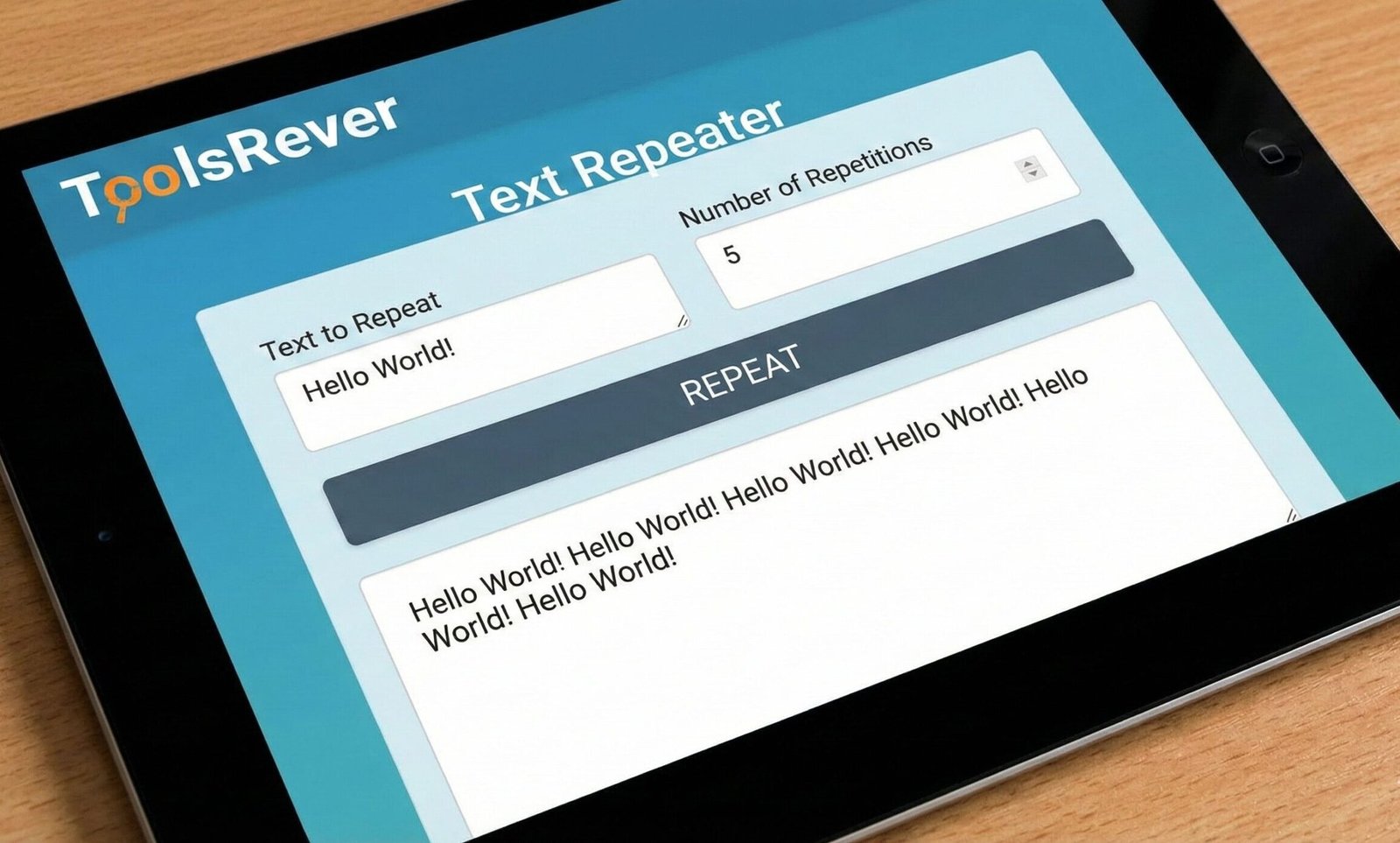
Text Repeater
This tool repeats a text string multiple times. Useful for creating placeholder text, testing, or generating patterns.
You can control how many times to repeat the text and what separator to use between repetitions.
Result:
Text Repeater Online: Copy & Paste Text Multiplier
Multiply any text instantly! Our free Text Repeater tool duplicates words, phrases, or code. Perfect for testing, social media, and data generation.
Text Repeater: The Ultimate Tool for Automating Repetitive Text Tasks
Have you ever needed to fill a document with placeholder text, test a website form with repeated entries, or create a specific pattern for a social media post? Manually copying and pasting the same phrase dozens or hundreds of times is not just mind-numbingly tedious—it's a massive waste of your valuable time and is prone to
This is where a Text Repeater proves to be an indispensable utility. A Text Repeater is a simple yet powerful online tool designed to automatically duplicate any piece of text a specified number of times, with customizable separators. It automates one of the most monotonous digital tasks, enabling students, developers, content creators, and professionals to generate large volumes of text in seconds, not hours.
What is a Text Repeater and How Does It Work?
A Text Repeater, also known as a text multiplier or string duplicator, is a digital tool that takes an input string and generates an output containing that string repeated multiple times. The core functionality is based on a simple programming loop, but its applications are vast.
The process is incredibly user-friendly:
- Input: You enter the text you want to repeat into the tool's input field. This could be a single word, a sentence, a line of code, or even a paragraph.
- Set Parameters: You specify the number of repetitions and choose a separator (like a space, comma, or new line).
- Processing: The tool's algorithm takes your input and replicates it the exact number of times you requested, inserting the chosen separator between each instance.
- Output: You receive a clean, perfectly formatted block of repeated text, ready to be copied and used immediately.
Using our Text Repeater tool guarantees a flawless result, eliminating the risk of miscounting or missing a separator.
Who Can Benefit from a Text Repeater? Key Use Cases
The utility of a text repeater extends far beyond simple convenience. It is a versatile tool for a wide range of users.
For Software Developers and Programmers
Developers frequently need to generate test data, simulate user input, or create specific string patterns for debugging.
- Testing Form Fields: Quickly generate 100 email addresses or usernames to test validation and database limits.
- Creating Dummy Data: Populate a development environment with repeated entries to check how lists and tables render.
- Code Examples: Demonstrate loops or string functions by showing the output of a repeated character or word.
For Students and Educators
In academic settings, a text repeater can be used for various learning and teaching aids.
- Language Learning: Create worksheets for vocabulary practice by repeating words with spaces for definitions.
- Pattern Recognition: Generate sequences for young students to identify patterns (e.g., "AB AB AB").
- Placeholder Text: For graphic design or layout projects, quickly create blocks of text to visualize a design.
For Content Creators and Social Media Managers
The digital marketing world often requires specific, repetitive text formats for maximum impact.
- Creating Visual Separators: Generate long lines of emojis (e.g.,
❤️❤️❤️) or symbols (e.g.,---) for social media bios and posts. - Hashtag Groups: Duplicate a base set of hashtags for consistent use across multiple posts.
- Emphasis through Repetition: Create dramatic effect by repeating a word or phrase for emphasis in a post (e.g., "Wait for it... Wait for it...").
For Data Analysts and Office Administrators
Anyone working with spreadsheets or databases can use a text repeater to quickly generate data for templates or to fill columns with specific values.
- Spreadsheet Templates: Create a column filled with "N/A" or "TBD" for a new project template.
- Generating Simple Sequences: Quickly create labels or identifiers that follow a pattern.
Just as a Text Repeater helps you manage and multiply text, presenting that text with clear visuals is key. For perfect image sizing, use our Image Resizer tool.
Key Features of a Robust Text Repeater Tool
A basic text repeater is helpful, but a powerful tool, like the one we provide, offers features that cater to advanced needs.
1. Customizable Repetition Count
The tool should allow you to specify any number of repetitions, from 2 to 10,000 or more. This flexibility is crucial for both small and large-scale tasks.
2. Separator and Delimiter Options
This is a critical feature. The ability to choose what goes between each repeated instance of text transforms the tool's utility.
- None: Creates one long, continuous string (e.g.,
ABCABCABC). - Space: Creates a spaced-out list (e.g.,
ABC ABC ABC). - Comma: Creates a comma-separated list (e.g.,
ABC, ABC, ABC). - New Line: Places each repetition on its own line, which is perfect for creating lists.
- Custom Separator: Allows you to define your own separator, such as a semicolon, a pipe
|, or a specific word.
3. Line Break and Paragraph Control
For generating large blocks of text, control over line breaks is essential. Advanced tools allow you to insert a line break after a certain number of repetitions, effectively creating paragraphs.
4. Real-Time Preview
A live preview window lets you see the output as you adjust the settings, ensuring you get the exact format you need without any surprises.
Step-by-Step Guide: How to Use Our Text Repeater
Let's walk through a few practical examples to see the tool in action.
Example 1: Creating a Comma-Separated List of Keywords
- Input Text: Enter
SEOinto the input box. - Set Repetitions: Set the number to
5. - Choose Separator: Select "Comma" or type
,into the custom separator field. - Click "Generate" or "Repeat": The tool instantly produces:
SEO, SEO, SEO, SEO, SEO.
Example 2: Generating a Visual Separator with Emojis
- Input Text: Enter the emoji
✨. - Set Repetitions: Set the number to
20. - Choose Separator: Select "None".
- Click "Generate": The tool produces a long, unbroken string of sparkles:
✨✨✨✨✨✨✨✨✨✨✨✨✨✨✨✨✨✨✨✨.
Example 3: Creating a Lorum Ipsum-Style Placeholder Block
- Input Text: Enter
This is a sample sentence.(note the space at the end). - Set Repetitions: Set the number to
50. - Choose Separator: Select "None".
- Click "Generate": The tool creates a large block of placeholder text perfect for mockups.
Advanced Applications: Beyond Simple Repetition
A text repeater can be a building block for more complex tasks.
Creating Test Data for Databases
You can combine a text repeater with other tools to create realistic test data. For example, generate 100 instances of 'user_' and then use a number sequence to create unique usernames like user_1, user_2, etc.
Understanding Programming Loops
For those learning to code, using a text repeater is a practical demonstration of a for or while loop. You input the "body" of the loop (the text) and set the "iteration count" (the repetitions), and you see the output immediately.
Generating Specific Unicode Patterns
You can use a repeater to create long strings of a specific Unicode character, which is useful for testing how software handles different characters or for creating custom spacing and formatting that standard word processors don't allow easily.
Frequently Asked Questions (FAQs)
Is there a limit to how much text I can generate with the repeater?
Is the text I repeat stored on your servers?
Can I repeat text with line breaks in the original input?
Conclusion: Automate the Monotony and Reclaim Your Time
A Text Repeater is a perfect example of a simple tool solving a universal and frustrating problem. It turns a task that is boring, time-consuming, and error-prone into a swift, one-click operation. By automating the process of text duplication, it frees up your mental energy and time for more important and creative work. In an era of digital efficiency, this tool is a small but significant key to a smoother workflow.
Stop the endless cycle of copy-paste. Start generating with precision and speed. Ready to multiply your productivity? Use our free, powerful Text Repeater tool now and experience the ultimate solution for all your text repetition needs!
Since most users use text repeaters for messaging apps, linking to them is very natural.